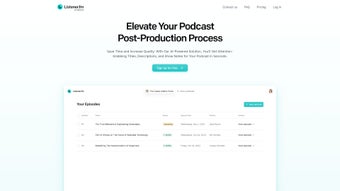

Download Listener – AI‑Powered Podcast Production Tool, Automatic Titles & Show Notes
Overview: Streamline Your Podcast Production with Listener
Listener is an AI‑driven, web‑based platform created for podcasters who want to eliminate the tedious post‑production steps that traditionally consume hours of valuable time. By simply dragging a raw audio file into the browser, the service instantly analyses the conversation, extracts the most relevant topics, and generates a complete publishing package: an eye‑catching episode title, a SEO‑optimized description, and fully‑formatted show notes with timestamps and speaker quotes. The underlying natural language processing (NLP) engine evaluates speech patterns, identifies recurring themes, and rewrites them into concise, keyword‑rich copy that helps each episode rank higher in Apple Podcasts, Spotify, Google Search, and emerging podcast directories.
Whether you run a solo interview series, a multi‑host panel, or a full‑scale network with dozens of shows, Listener adapts to any workflow, allowing you to focus on content creation while the AI handles the repetitive writing tasks. The platform’s clean, responsive interface works on any modern device, requires no installation, and offers a 14‑day free trial that grants access to all premium features. In essence, Listener transforms the “write‑up” phase from a bottleneck into a fast, reliable, and creative step that accelerates publishing schedules and improves discoverability.
Core Features & Daily Usage Guide
Listener bundles a powerful set of capabilities that together create a seamless end‑to‑end podcast workflow. Below is a detailed look at each feature, followed by a step‑by‑step guide that shows how you can turn a raw recording into a publish‑ready episode in under ten minutes.
- Automatic Title Generation – AI evaluates the episode’s main themes and proposes multiple title options optimized for click‑through rates and SEO.
- Dynamic Show Notes Creation – The tool extracts timestamps, speaker quotes, and key takeaways, delivering a clean markdown‑ready document.
- SEO‑Friendly Descriptions – Built‑in keyword analysis ensures each description contains relevant phrases that improve discoverability across major podcast platforms.
- Multi‑Language Support – Listener processes English, Spanish, French, and German audio, automatically segmenting multilingual episodes.
- Batch Processing – Upload several episodes at once and receive a full set of titles, descriptions, and notes in a single workflow.
- Version Control – Save multiple drafts, compare revisions, and choose the best version before publishing.
- Integrations & API – Direct export to Anchor, Libsyn, Podbean, or custom integration via RESTful API for advanced automation.
- Secure Cloud Storage – All files are encrypted in transit (TLS 1.3) and at rest (AES‑256), complying with GDPR, CCPA, and SOC 2.
Getting started is intentionally straightforward. First, create an account on listener.fm using your email or Google credentials, then verify your address. Choose a plan that matches your production volume; all plans include the 14‑day free trial.
Once logged in, click “New Project,” drag your MP3 or WAV file into the upload zone, and wait 2‑3 minutes per hour of audio for the AI to finish processing. When analysis is complete, you’ll see three suggested titles, a full episode description, and a structured show‑notes document. Use the “Edit” toggle to fine‑tune any element—adjust timestamps, rewrite a sentence, or swap a title—while preserving the AI’s original suggestions.
Finally, export the content as markdown, copy it into your podcast host’s episode editor, or click the one‑click “Publish to Anchor” button (after authorizing the connection). For power users, the API lets you embed Listener’s generation engine into CI/CD pipelines, enabling fully automated releases that trigger whenever a new audio file lands in a cloud bucket. In practice, most podcasters report that the entire process—from upload to final copy—takes under ten minutes, representing a dramatic reduction compared with manual copy‑writing.
Compatibility, Pricing, and an Honest Look at Pros & Cons
Listener is a cloud‑based web application, meaning it runs on any modern operating system with a standards‑compliant browser. Whether you’re on Windows 10/11, macOS Ventura, Linux distributions such as Ubuntu or Fedora, or mobile platforms like iOS 17 and Android 14, you’ll enjoy the full feature set without installing additional software. The responsive design adapts to tablets and smartphones, allowing you to generate titles and notes while traveling or working from a coffee shop.
The subscription model is tiered to fit different production needs:
- Solo Creator – $9.99 USD per month (or $99 USD annually). Includes up to 5 episodes/month, basic analytics, and email support.
- Pro Podcaster – $29.99 USD per month (or $299 USD annually). Unlimited episodes, advanced SEO insights, API access, and priority support.
- Enterprise – Custom pricing. Multi‑team collaboration, dedicated account manager, SSO integration, and SLA guarantees.
Pros
- Massive time savings – generates titles, descriptions, and show notes in minutes.
- SEO‑optimized output improves discoverability across podcast directories.
- Batch processing supports high‑volume publishing schedules.
- Secure cloud storage with encryption meets privacy regulations.
- Cross‑platform compatibility; no OS restrictions.
- API and native integrations enable advanced automation.
Cons
- Requires an internet connection; offline use is not available.
- AI suggestions may need manual refinement for niche or highly technical content.
- Higher‑tier plans are required for unlimited usage, which could be costly for very large networks.
- Learning curve for the API if you intend to build custom integrations.
FAQ & Conclusion: Should You Download Listener?
Can Listener handle multiple languages in the same episode?
Yes. Listener’s NLP engine supports mixed‑language audio for English, Spanish, French, and German. It automatically creates separate sections in the show notes for each language detected, making it easy for multilingual audiences to navigate.
Is there a free tier or trial available?
Listener offers a 14‑day free trial for any subscription plan. During the trial you receive full access to all features, including batch processing and API calls, allowing you to evaluate the service before committing.
How secure is my uploaded audio?
All files are encrypted with TLS 1.3 during transfer and stored using AES‑256 encryption at rest. Listener complies with GDPR, CCPA, and SOC 2 standards, ensuring that your content remains private and protected.
Can I integrate Listener with my existing podcast host?
Yes. Listener provides native integrations with Anchor, Libsyn, Podbean, and other major hosts via API or direct export. You can also download a CSV/Markdown file and manually paste the content into any host’s episode editor.
What happens if the AI generates inaccurate timestamps?
The platform allows you to edit timestamps directly in the show‑notes editor. After correction, you can save and re‑export the updated version, ensuring complete accuracy before publishing.
For podcasters who value speed, SEO performance, and a polished listener experience, Listener stands out as a compelling investment. Its AI‑driven workflow transforms a traditionally manual, time‑consuming step into a streamlined, data‑backed process that can be completed in a fraction of the usual time. While the reliance on an internet connection and occasional need for human polishing are valid considerations, the overall productivity boost and quality improvement make the subscription cost worthwhile for most creators. Whether you’re launching a solo show or managing a multi‑show network, the platform’s scalability, secure cloud infrastructure, and integration flexibility position it as a future‑proof solution in the rapidly evolving podcast ecosystem.
Ready to experience faster episode turnaround and higher discoverability? Download Listener today, start your free trial, and let AI do the heavy lifting so you can focus on what you love—creating great audio content.



.png)



